QOwnNotes Free Open Source Markdown Note Taking App
QOwnNotes is a free, open-source note-taking app that uses Markdown text files, giving users simple, flexible, and full control over creating, organizing, and managing notes across different systems.
Cloud Sync
ownCloud & Nextcloud

Markdown Support
Full syntax highlighting
Powerful Features
Everything You Need to Organize Your Thoughts
QOwnNotes combines simplicity with power, giving you all the tools to capture ideas, organize knowledge, and boost productivity.
Markdown Native
Write in beautiful markdown with live preview, syntax highlighting, and seamless formatting.
Cloud Integration
Sync your notes with ownCloud or Nextcloud for secure access across all your devices.
End-to-End Encryption
Keep your notes private with built-in encryption. Your data stays yours, always.
Scripting Engine
Extend functionality with custom scripts. Automate tasks and personalize your workflow.
Hierarchical Tags
Organize notes with nested tags and smart folders for lightning-fast navigation.
Cross-Platform
Available on Windows, macOS, and Linux. Your notes follow you everywhere.
About QOwnNotes
The Note Taking App You Deserve
QOwnNotes is a free, open-source markdown note-taking application designed for privacy-conscious users. Unlike cloud-dependent alternatives, your notes are stored as plain text files on your computer, giving you complete control.
- Plain-text files you actually own
- No vendor lock-in, export anytime
- Works offline, sync when ready
- Customizable themes and layouts
- Fast search across all notes
- Version history support
10+ Years
Active Development
10+
Years Active
50K+
Downloads
15+
Languages
100+
Contributors
Smart & Simple
Why QOwnNotes Fits Your Workflow
QOwnNotes combines simplicity, control, and efficiency to help you create, organize, and manage Markdown notes effortlessly—without relying on the cloud.
Why Choose QOwnNotes?
Complete Data Ownership
Offline-First by Design
Clean Markdown Experience
Seamless Organization
Lightweight and Fast
Optional Cloud Sync with Nextcloud
Open-Source and Transparent
Ideal for Multiple Use Cases
How QOwnNotes Works
Notes Are Created in Markdown
Notes Are Saved as Local Text Files
Folder-Based Organization
Instant Search and Tagging
Offline-First by Design
Optional Nextcloud Synchronization
Continuous Editing and Version Safety
Lightweight and Efficient Performance
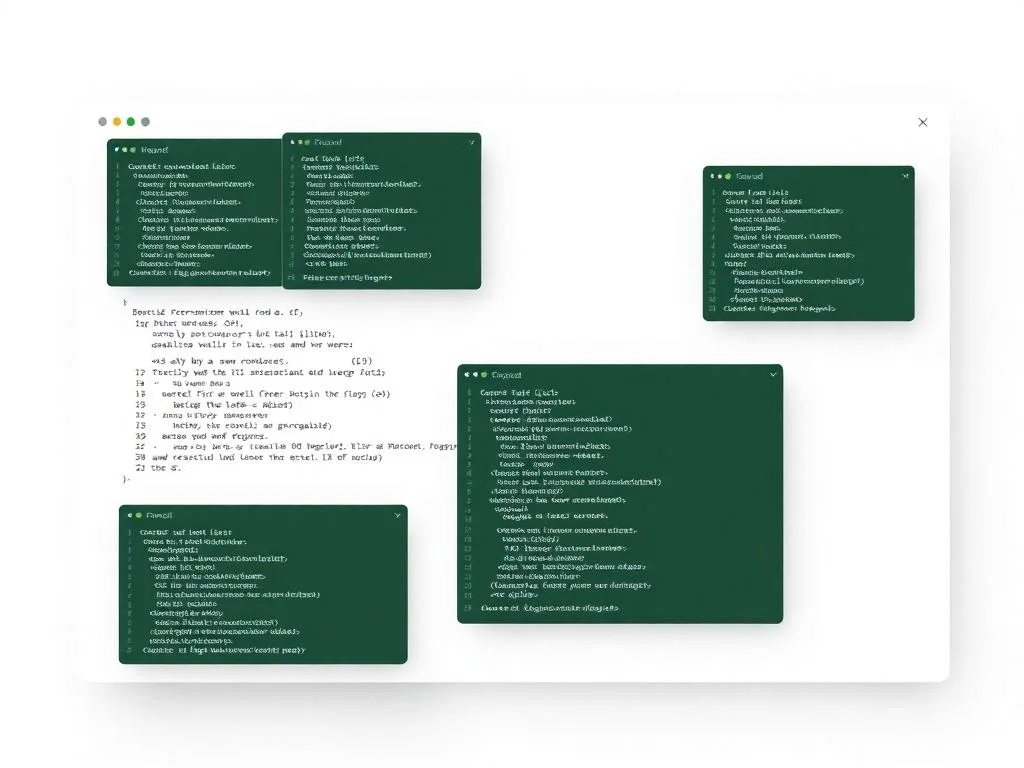
Markdown Editor
Beautiful Markdown
Write in clean, distraction-free markdown with live preview, syntax highlighting, and all the formatting options you need.
Headings
Bold
Italic
Links
Lists
Code
Images
Quotes
Tags
Tables
# Welcome to QOwnNotes
Your privacy-focused markdown editor.
## Features
- Full markdown support
- Bold and italic text
- Links and images
- Code blocks
Cross-Platform
Works on Every Platform
Whether you’re on Windows, macOS, or Linux, QOwnNotes provides a consistent experience. Your workflow stays the same, no matter which device you’re using.
Windows
Windows 10, 11
macOS
macOS 10.15+
Linux
All major distros

Real World Usage
QOwnNotes Use Cases
QOwnNotes is a flexible note-taking solution designed to support a wide range of personal and professional workflows. Its Markdown-based, offline-first approach makes it suitable for users who value simplicity, privacy, and long-term data ownership.
Personal Knowledge Management
QOwnNotes is ideal for organizing daily notes, ideas, and personal knowledge. Users can create structured note systems using folders and tags, making information easy to store and retrieve over time.
Developers & Technical Documentation
Developers benefit from Markdown support, syntax highlighting, and plain-text storage. QOwnNotes works well for writing documentation, storing code snippets, maintaining changelogs.
Students & Academic Notes
Students can use QOwnNotes to manage lecture notes, assignments, research material, and exam preparation. Markdown formatting helps keep notes clean and readable, while offline access ensures uninterrupted study.
Writers & Content Creators
Writers can draft articles, outlines, and content plans without distractions. Notes remain portable and editable in any text editor, making QOwnNotes a reliable tool for long-form writing and content organization.
Task & To-Do Management
With built-in checklist support, QOwnNotes can be used to manage tasks, daily to-do lists, and project planning. Tasks stay organized alongside notes in a single workspace.
Research & Documentation
Researchers can store references, structured notes, and project documentation in one place. The search and tagging features make it easy to navigate large collections of information.
Task & To-Do Management
With built-in checklist support, QOwnNotes can be used to manage tasks, daily to-do lists, and project planning. Tasks stay organized alongside notes in a single workspace.
Research & Documentation
Researchers can store references, structured notes, and project documentation in one place. The search and tagging features make it easy to navigate large collections of information.
Comparison
How QOwnNotes Stacks Up
See why QOwnNotes is the better choice for privacy-focused note-taking
| Feature | QOwnNotes | Evernote | OneNote | Notion |
|---|---|---|---|---|
| 100% Free | ✓ | ✕ | ✓ | ✕ |
| Open Source | ✓ | ✕ | ✕ | ✕ |
| Local Storage | ✓ | ✕ | ✕ | ✕ |
| Markdown Native | ✓ | ✕ | ✕ | ✓ |
| Self-Hosted Sync | ✓ | ✕ | ✕ | ✕ |
| End-to-End Encryption | ✓ | ✓ | ✕ | ✕ |
| Scripting Support | ✓ | ✕ | ✕ | ✕ |
| Cross-Platform | ✓ | ✓ | ✓ | ✓ |
Cloud Integration
Seamless Cloud Sync
Connect QOwnNotes to your ownCloud or Nextcloud server for automatic synchronization. Access your notes from any device while keeping your data under your control.
- Sync with ownCloud
- Sync with Nextcloud
- Encrypted transfers
- Mobile companion apps

Security First
Your Privacy is Non Negotiable
QOwnNotes is built with security at its core. Your notes are encrypted and stored locally, ensuring complete privacy and data ownership.
AES-256 Encryption
Military-grade encryption for your notes
Local Keys
Encryption keys stay on your device
Zero Knowledge
We can't read your encrypted data
Self-Hosted
Full control with your own server
Integrity Checks
Verify files haven't been tampered
Open Source
Auditable security you can trust

Ready to Take Control of Your Notes?
Join thousands of users who’ve switched to QOwnNotes for a private, powerful, and completely free note-taking experience.
- 100% Free Forever
- Open Source
- No Account Required
Testimonials
Loved by Thousands
See what our community has to say about QOwnNotes
FAQ's
Frequently Asked Questions
Got questions? We’ve got answers.
What is QOwnNotes?
QOwnNotes is a free and open-source note-taking application that uses Markdown and stores notes as local text files.
Is QOwnNotes free to use?
Yes, QOwnNotes is completely free and open-source with no hidden costs or subscriptions.
Which platforms does QOwnNotes support?
QOwnNotes is available for Windows, Linux, and macOS.
Does QOwnNotes work offline?
Yes, QOwnNotes is designed as an offline-first application and works fully without an internet connection.
What file format does QOwnNotes use?
QOwnNotes saves notes as plain-text Markdown (.md) files.
Is QOwnNotes suitable for beginners?
Yes, its simple interface makes it easy for beginners while still being powerful for advanced users.
Does QOwnNotes require an account?
No account or sign-up is required to use QOwnNotes.
Is QOwnNotes secure?
Yes, since notes are stored locally, users have full control over their data.
Can QOwnNotes handle large note collections?
Yes, it is optimized to manage and search through large numbers of notes efficiently.
Is QOwnNotes actively maintained?
Yes, QOwnNotes is actively developed and supported by an open-source community.
Does QOwnNotes support Markdown formatting?
Yes, full Markdown support is one of its core features.
Can I organize notes using folders?
Yes, QOwnNotes uses a folder-based structure for easy organization.
Does QOwnNotes support tags?
Yes, notes can be tagged to improve categorization and searchability.
Is full-text search available?
Yes, QOwnNotes includes fast and powerful full-text search.
Can I manage to-do lists in QOwnNotes?
Yes, it supports checklists and task management within notes.
Does QOwnNotes support code snippets?
Yes, syntax highlighting is available for code blocks.
Can I sync QOwnNotes across devices?
Yes, QOwnNotes integrates with Nextcloud for optional synchronization.
Can I customize the interface?
Yes, themes, shortcuts, and layout options can be customized.
Is QOwnNotes compatible with Git?
Yes, since notes are plain text files, they work well with Git and version control systems.
Can I export my notes?
Yes, notes can be easily shared or exported because they are standard Markdown files.
QOwnNotes – Free Open-Source Markdown Notes App
QOwnNotes is a lightweight open-source note-taking app using Markdown, ideal for private note management with Nextcloud and local storage support.
Price: Free
Price Currency: $
Operating System: Windows, macOs, Linux
Application Category: Tool
4.8